
Jon Hill
AI-Native Product Design | Systems UX | Adaptive Experiences | View Resume
I design complex digital products across enterprise and consumer platforms, using AI as a decision-support tool to improve clarity, scale, and user outcomes.
With 13 years of experience, I lead scalable digital product initiatives through UX research, design systems, and thoughtful decision-making.


Design Systems
Design Systems
This is a UX design system demonstration, not a client case study.
Hi, this is an in-depth design system showcase that walks through how I build scalable UX systems from concept to launch, grounded in strong UX foundations and enhanced by AI-assisted exploration to support consistency, collaboration, and long-term growth, with a video option if you’d rather watch than read.
Foundations: Color, Typography, Spacing, Elevation, Motions 
How systems communicate matters. By focusing on structure, patterns, and principles, I create clear foundations that support thoughtful design decisions and help teams build with confidence.
What this is
This is a LAUX design system demonstration that shows how I build scalable UX systems, using AI as a decision-support tool alongside human judgment.
What this shows
It highlights how LAUX designs adaptable, governed systems with strong foundations that support thoughtful, confident design decisions.
At a glance
The system scales from Foundations → Components → Patterns → Products, supporting clarity and consistency as it grows.
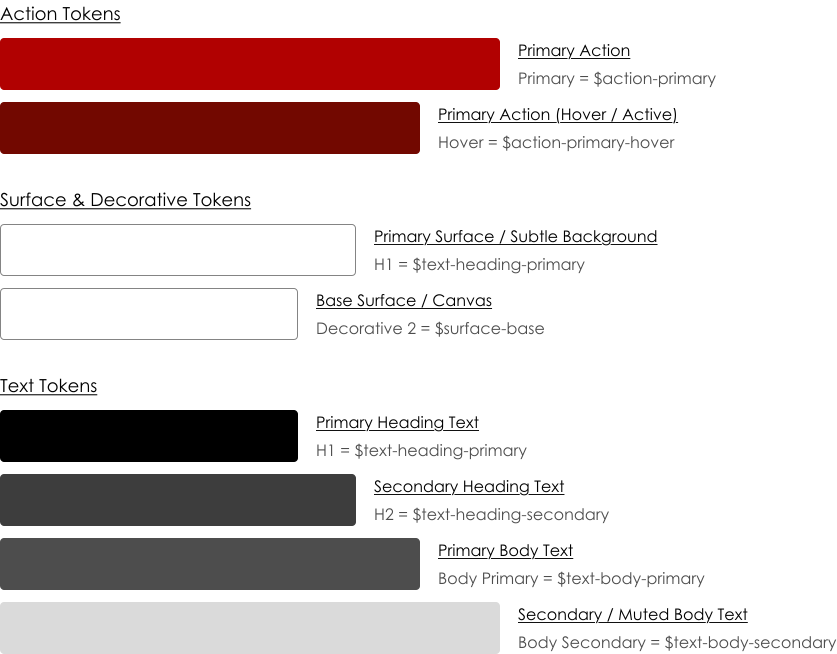
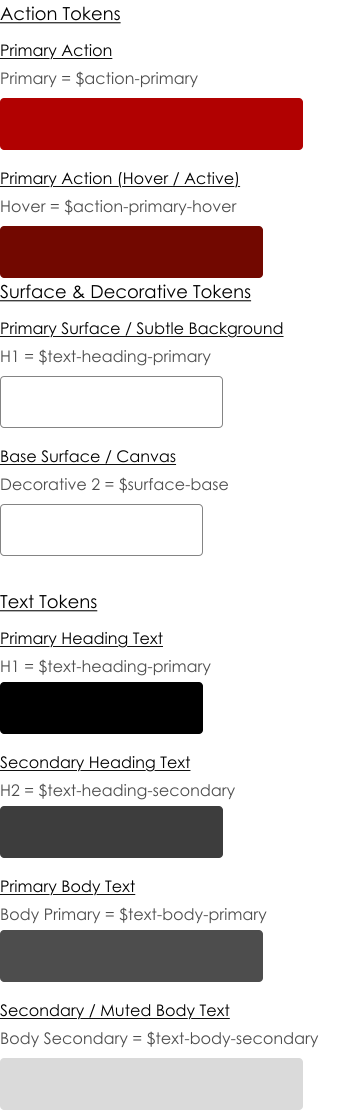
Color Tokens 
Color tokens give colors meaning allowing teams use them consistently and with purpose instead of guessing or hard-coding value

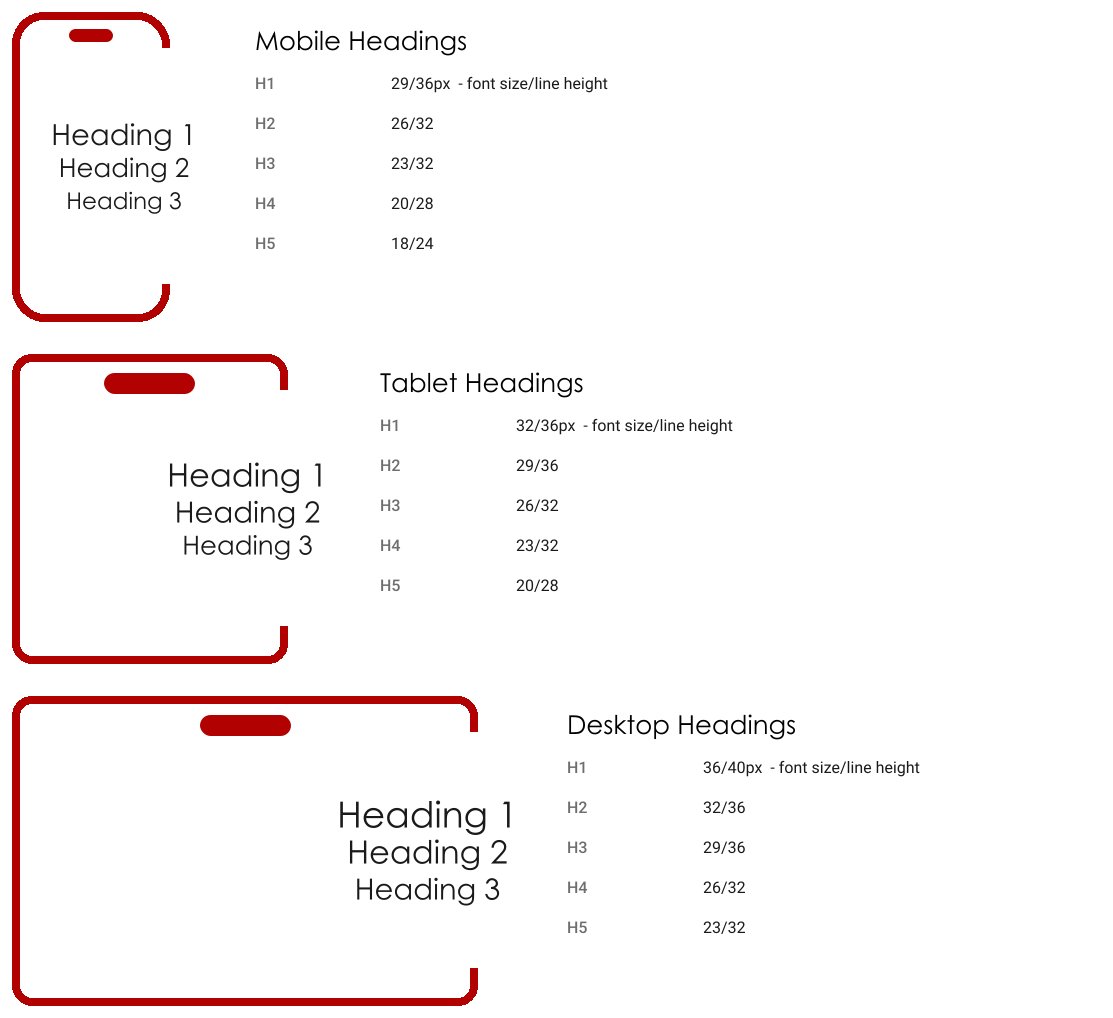
Headings
Color tokens give colors meaning allowing teams use them consistently and with purpose instead of guessing or hard-coding value


Spacing 
Color tokens give colors meaning allowing teams use them consistently and with purpose instead of guessing or hard-coding value

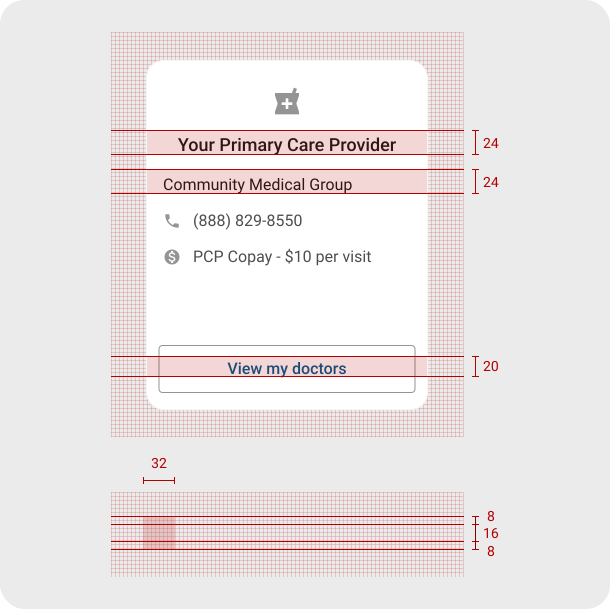
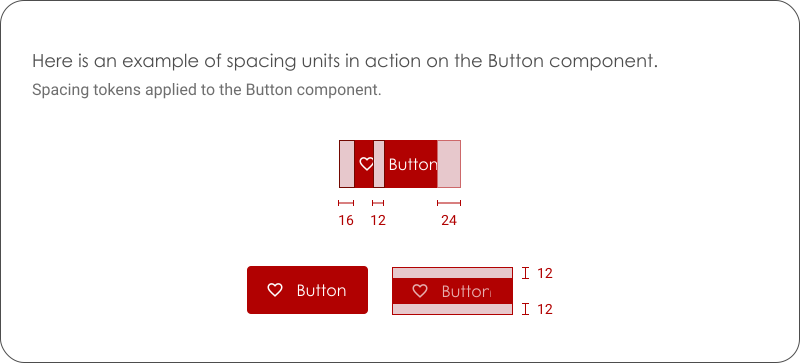
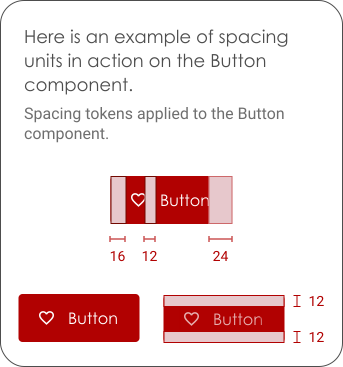
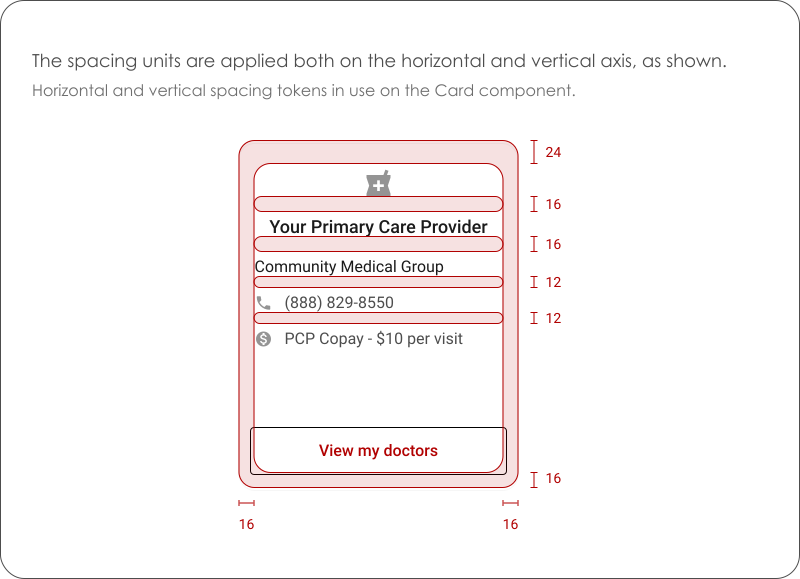
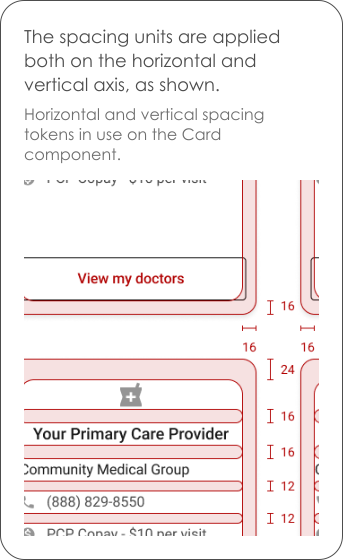
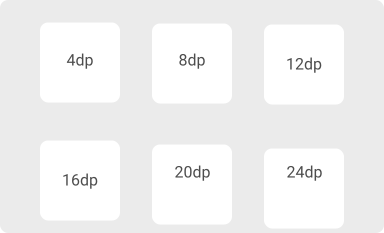
The spacing units can be used to the margin or padding properties in two directions, vertical and horizontal.

Elevation 
Color tokens give colors meaning allowing teams use them consistently and with purpose instead of guessing or hard-coding value
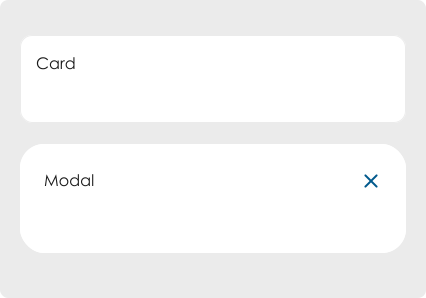
Elevation is the relative distance between two surfaces along the z-axis.

Core Components
Components define structure; states define behavior—both are documented separately to support clarity, consistency, and scalability.
Buttons
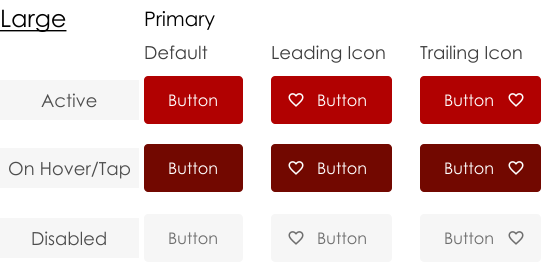
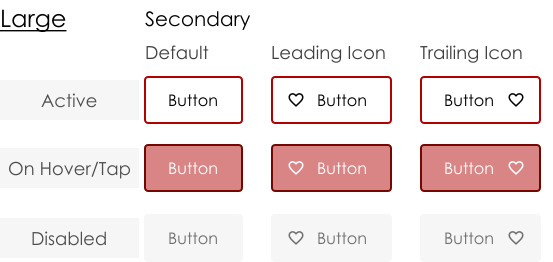
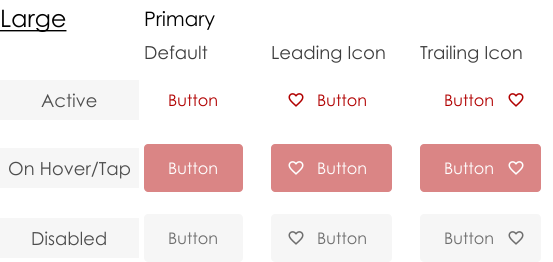
Text Buttons

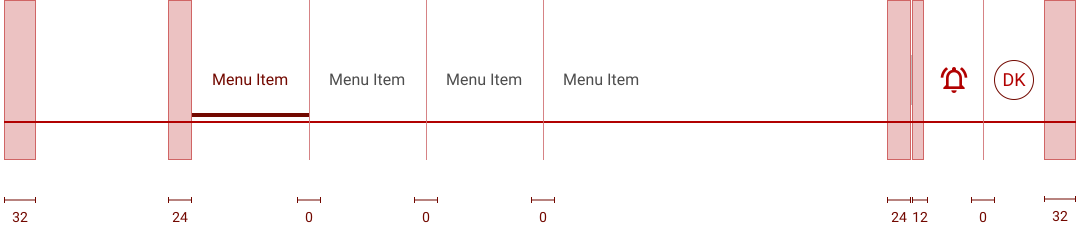
Navigation
Mobile

Tablet

Desktop

Desktop Padding
Pagination
Desktop / Tablet

Mobile First Page

Mobile First Page 4

Mobile Last Page

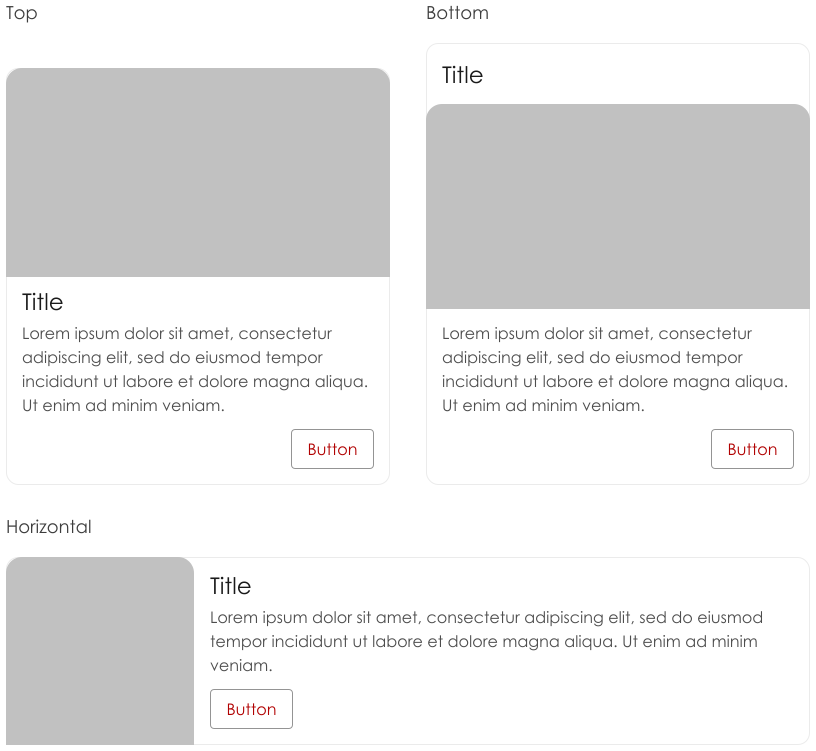
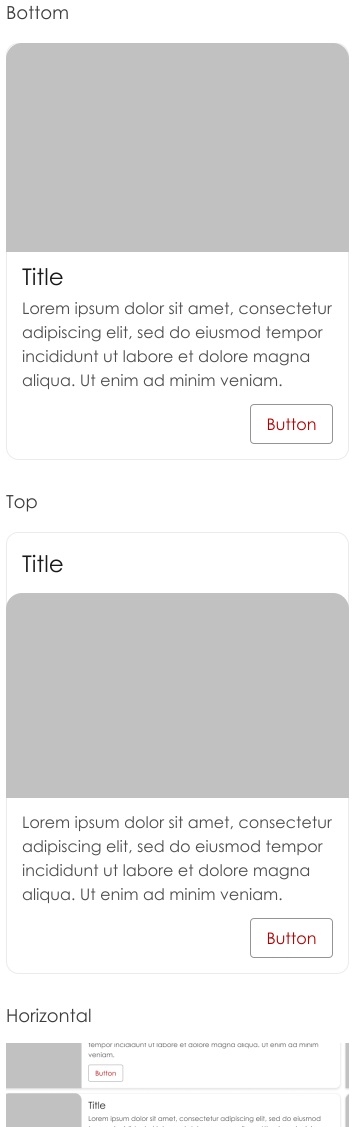
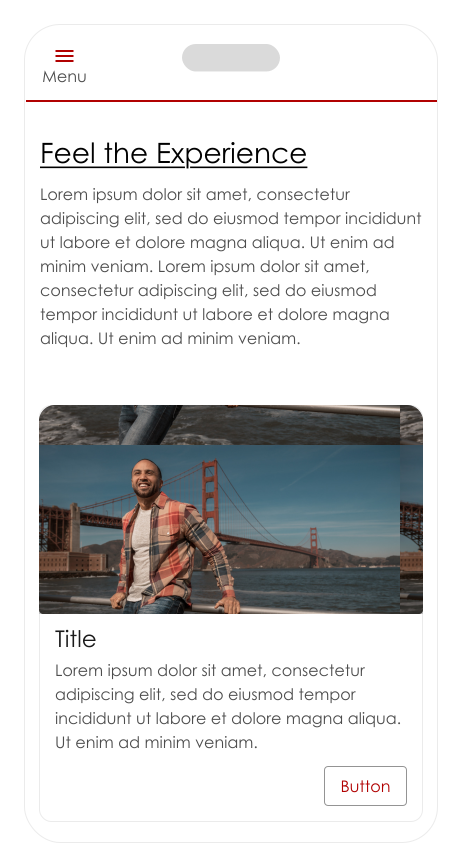
Cards

Design System Approach
Components define structure and states define behavior, documented separately to preserve clarity, consistency, and scalability as systems grow.
I design systems that prioritize clarity, consistency, and adaptability, so teams can scale products confidently without sacrificing usability or coherence. The goal is not rigid uniformity, but shared foundations that support thoughtful variation when the product or user truly needs it.
Decision Rules (Judgment Layer)
I introduce a new component only when an existing pattern cannot support a new behavior, intent, or user need without increasing complexity or compromising usability.
I reuse components by default and extend them only when the variation represents a meaningful change in behavior or intent—not just visual preference.
When enforcing consistency would increase cognitive load, reduce clarity, or introduce friction in critical user flows.
AI supports decision-making by surfacing patterns, comparing variations, and stress-testing assumptions—while final decisions remain grounded in UX principles, research, and human judgment.
Together, these principles ensure the system scales with teams, products, and complexity—without losing clarity or trust.
Using AI as a Design Accelerator 
In system design, I use AI to support exploration, validation, and consistency checks, while judgment, structure, and governance remain human-led.
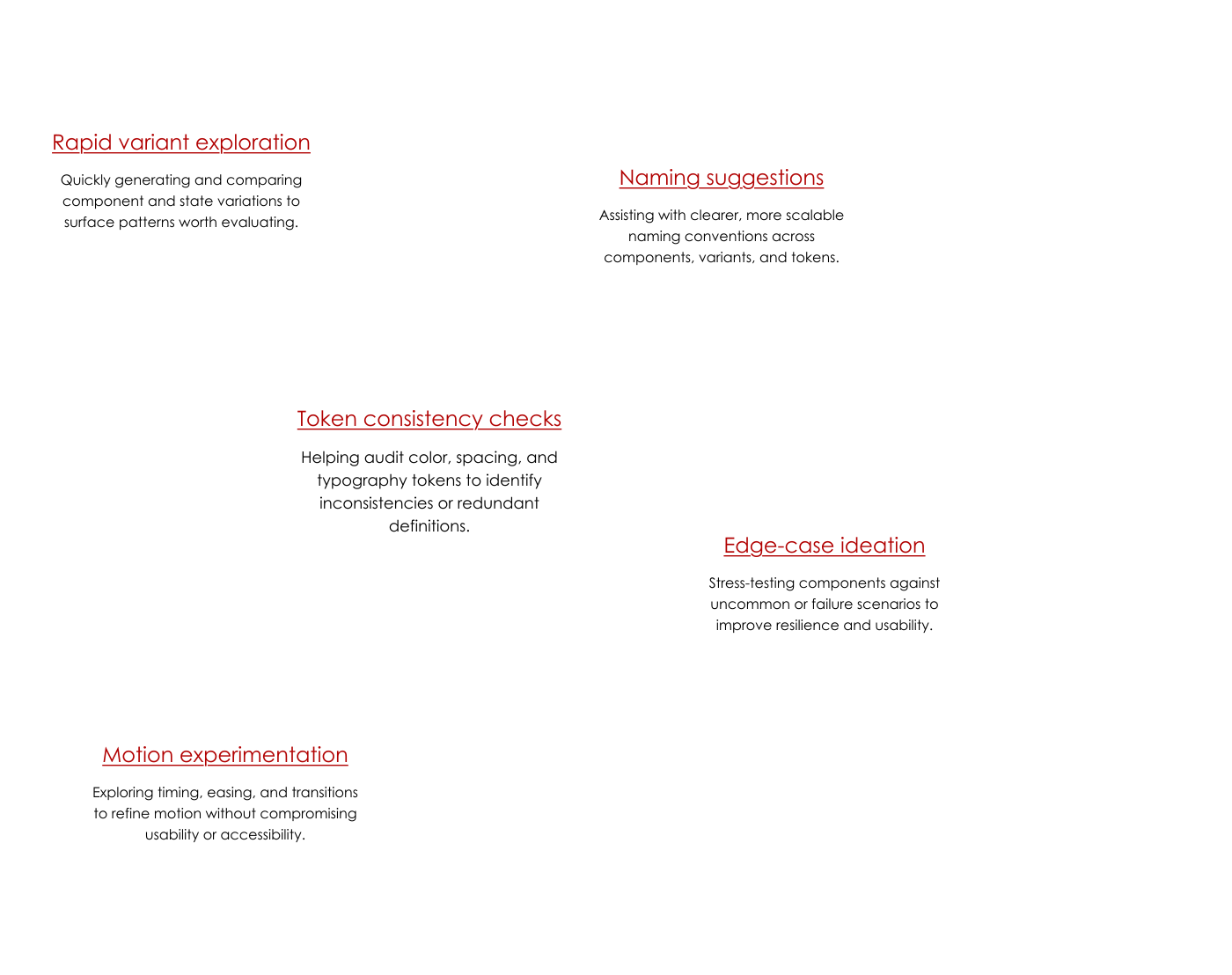
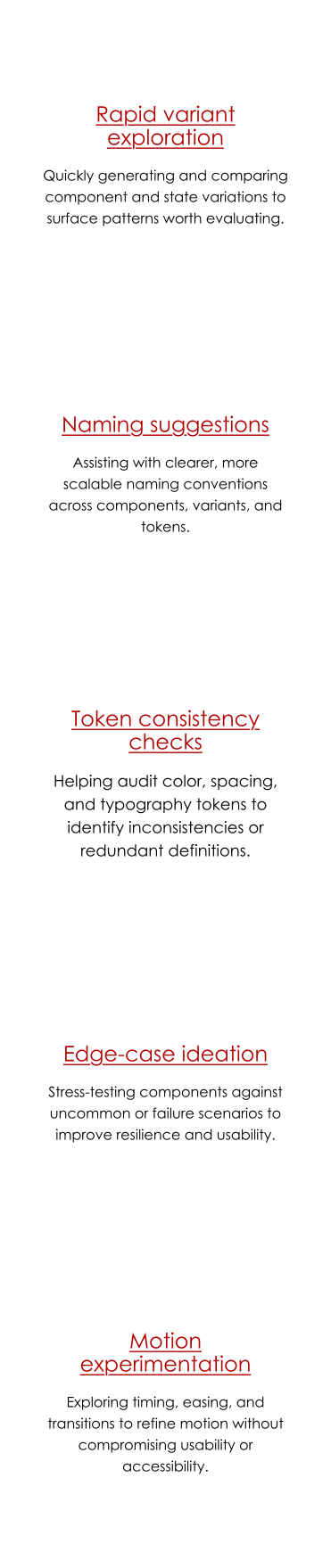
Where AI Assisted
AI was used selectively to reduce friction and surface patterns during system exploration.
What AI Did Not Do
- Define system principles or design philosophy
- Decide system architecture or component hierarchy
- Own governance rules or contribution models
- Replace design judgment, research, or human decision-making
All final decisions were grounded in UX principles, accessibility standards, research insights, and practical team constraints.
What This Demonstrates
AI was used strategically to accelerate thinking, reduce friction, and improve consistency, while design leadership, judgment, and accountability remained firmly human-driven.
Lovable Prototypes (Vibe Prototyping) 
Lovable was used as a rapid prototyping tool to explore interaction concepts and user flows through lightweight, code-backed prototypes, translating design intent into tangible experiences earlier in the workflow.
Where Lovable Supported the Process
Early interaction exploration
Enabled quick experimentation with layout, flow, and interaction patterns before committing to high-fidelity design decisions.
Design-to-behavior validation
Helped test how components and patterns actually behaved when implemented, reducing guesswork between design and development.
Fast iteration loops
Allowed ideas to move from concept to working prototype quickly, enabling faster feedback without over-investing in polish.
Alignment with engineering thinking
Provided a closer approximation of real-world implementation, helping surface feasibility questions earlier and inform system decisions.
What Lovable Did Not Do
- Define UX strategy or system principles
- Replace design exploration or research
- Determine visual language or brand direction
- Decide component architecture or governance
Lovable supported exploration and learning—not final design decisions or system ownership.
What This Demonstrates
Vibe prototyping with Lovable allowed me to bridge design and implementation early—while keeping strategy, system structure, and design judgment firmly human-led.
Scale For Growth 
Systems I design scale across teams, products, and evolving requirements—without sacrificing clarity, usability, or governance.
Token-First Foundations
System Philosophy
- Global updates without refactoring components
- Theming and brand extension
- Cross-platform parity (web and mobile)

Component Extensibility (Not Explosion)
Extended via variants
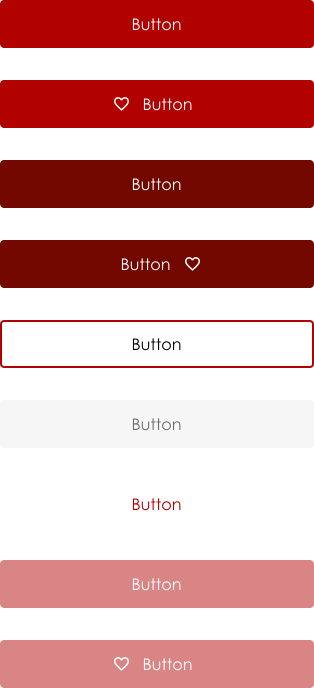
The button is designed as a single base component with clearly defined variants that change intent or emphasis, not structure. Color, border, and emphasis are expressed through variants (Primary, Secondary, Outline, Disabled), while layout, spacing, typography, and interaction behavior remain consistent across all states.
Configured before duplicated
Before creating a new button, the system evaluates whether the need can be met by:
- Adjusting a variant
- Applying an existing state
- Modifying intent (primary vs secondary)
Only when a new interaction pattern or behavioral requirement emerges does the system consider extension.
Governed to avoid fragmentation
Clear decision rules guide when change is justified:
- Visual preference alone does not justify a new button
- Variants must map to a defined intent
- All variants inherit the same accessibility, spacing, and interaction rules
This ensures teams move quickly without introducing one-off styles that fragment the experience over time.
Problems To Anticipate 
Design systems tend to fail in predictable ways as teams, products, and platforms scale—these are the risks this approach is intentionally designed to address.
Fragmentation and One-Off Solutions
Without clear foundations and decision rules, teams create one-off components under pressure, gradually eroding consistency across the product.
Adoption Resistance
Systems fail when they feel restrictive or slow, so this approach prioritizes clarity, flexibility, and ease of use to support natural adoption.
Inconsistent Usage Over Time
As teams grow, components can drift unless extension and reuse rules are explicit and consistently applied.
Design–Engineering Misalignment
Design systems must map cleanly to implementation, or design intent and shipped UI will diverge over time.
Cross-Platform Inconsistency
The system is designed to support parity across web and mobile while allowing platform-specific conventions where they improve usability.